


Best Dogecoin Wallets: Types, Safety, and How to Choose


Table of contents
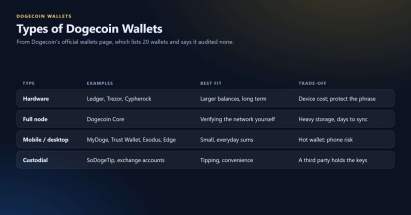
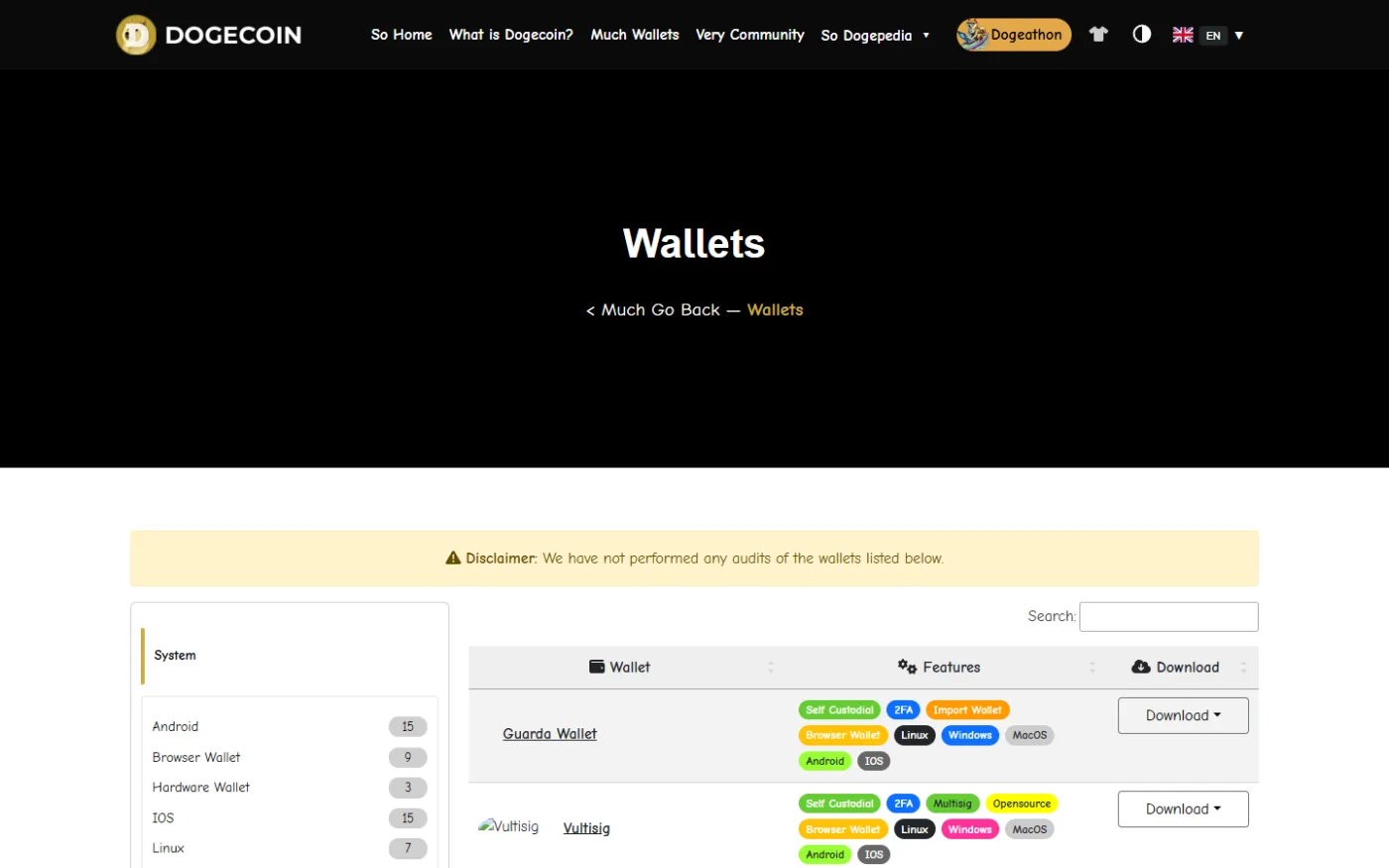
There is no single best Dogecoin wallet: the right one depends on how much DOGE is held, for how long, and on which device. Dogecoin's official wallets page names 20 wallets and clearly states that its authors "have not performed any audits of the wallets listed." In general, a hardware wallet is the appropriate choice for holding a greater balance of DOGE for longer periods of time, a full-node wallet is used by those who would like to verify the network independently, and a mobile wallet is the best fit for smaller daily sums. Whichever wallet one chooses, the recovery phrase must stay offline and be given to no one.
This article describes major types of Dogecoin wallets, mentions what is said about particular wallets on the sources, and provides a decision framework. This article does not evaluate wallets or make product recommendations. Features change often, so the live product pages should be checked.
Wallet Types and How to Choose
Hardware Wallets
In a hardware wallet, private keys are stored separately, and every transaction needs to be confirmed physically. Official Dogecoin wallets page lists the following hardware wallets as self-custodial options: Cypherock, Ledger, and Trezor. Trezor website says that Safe 7, Safe 5, and Safe 3 models work with Dogecoin via Trezor Suite on desktop, web, and mobile, and recommends to verify the receive address on the device screen before sending the funds. Ledger website names Stax, Flex, and Nano range of hardware wallets as suitable for Dogecoin and works with them via Ledger Wallet application. Both pages are vendor marketing, and neither gives a DOGE-specific compatibility list or fee details.
Full-Node Wallet
Dogecoin Core is listed first on the official Dogecoin wallets page as a self-custodial full-node wallet for Linux, Windows, and macOS with multisig and open-source code. In the Coin Bureau guide, updated on February 2, 2026, it is described as a wallet that verifies transactions independently on the user's device, and the drawbacks of this wallet are listed as heavy storage needs, initial sync that may take days, and the outdated interface. Names of the downloadable files of Windows and macOS versions on the official page include the word "unsigned," which suggests the builds are not code-signed, so checksums should be verified before installing. It is an inference made from the filenames, and it is not explicitly stated on the page.
Mobile and Desktop Software Wallets
Software wallets store private keys in the software running on the phone or computer. The official page lists the following as mostly self-custodial: MyDoge (for Android and iOS with tipping bot), Dogechain, Edge, Exodus, Trust Wallet, Vultisig, and others. Trust Wallet official guide says that the wallet generates a 12-word secret phrase and stores private keys on the device, and users are advised to download the app only from the official store. Exodus website says that this wallet encrypts private keys on the device, offers mobile and desktop versions, and integrates with Trezor, but doesn't provide information about whether it is open source.
Custodial Wallets
Official Dogecoin wallets page lists SoDogeTip as the only custodial option, which means that a third party holds the keys. In the same way, an exchange account is custodial, and the user must trust the platform's security and solvency.
What Reviews Say, and Their Limits
The Coin Bureau guide lists Tangem, Ledger Nano S Plus, Trezor Model T, SafePal S1, Trust Wallet, Exodus, Atomic Wallet, Dogecoin Core, Coinomi, Guarda, MyDoge, BitPay, and Coinbase Wallet. This guide lists caveats for each wallet, namely that Trust Wallet is a hot wallet without built-in two-factor authentication, Atomic Wallet is closed source with higher swap fees and security incident in 2023, and Coinomi was closed-source at the time of writing, although the transition to open source is mentioned. Coin Bureau guide says that it is based on technical documentation, security certifications, and incident reports, and it discloses that some links are affiliate links.
Because of the affiliate relationships and self-reported nature of vendor claims, such lists are just a good place to start, and not an independent verdict. Sources read do not contain any neutral security audit of these wallets.
A Decision Framework
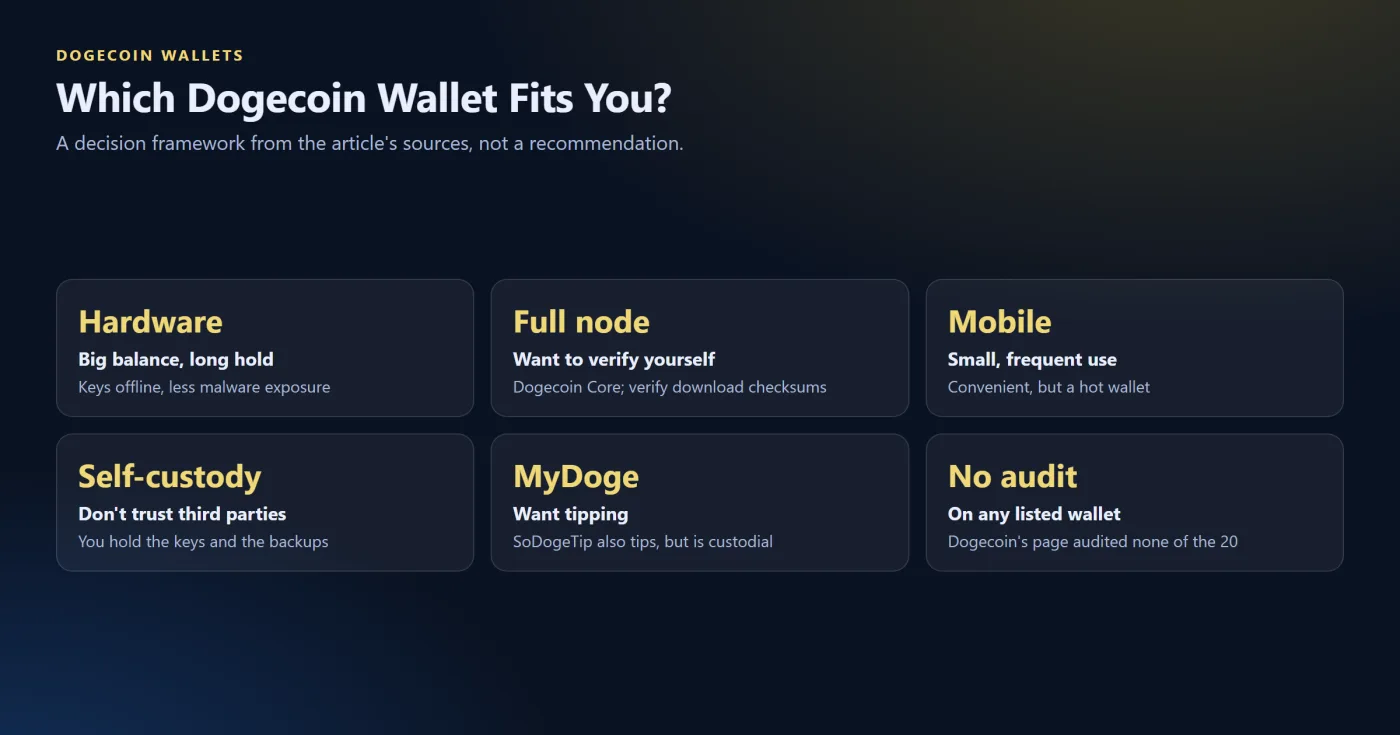
This framework summarizes the trade-offs from the sources above and is not a recommendation.
-
Larger balance held for a longer period. Offline storage of keys on hardware wallet reduces exposure to malware at the expense of hardware wallet purchase and need to protect the recovery phrase.
-
Would like to verify the network independently. Full-node wallet will do the job, but will need additional storage space, synchronization, and checksums verification during downloading.
-
Has smaller balance and wants to use it frequently. Mobile wallet is convenient, but is a hot wallet, thus is exposed to greater risks if the phone is compromised.
-
Doesn't want to trust a third party. Self-custodial wallets allow the user to hold the keys and be responsible for the backups.
-
Wants a tipping feature. Official Dogecoin wallets page lists MyDoge and SoDogeTip with tipping bots, but the latter is custodial.
Safety Practices
-
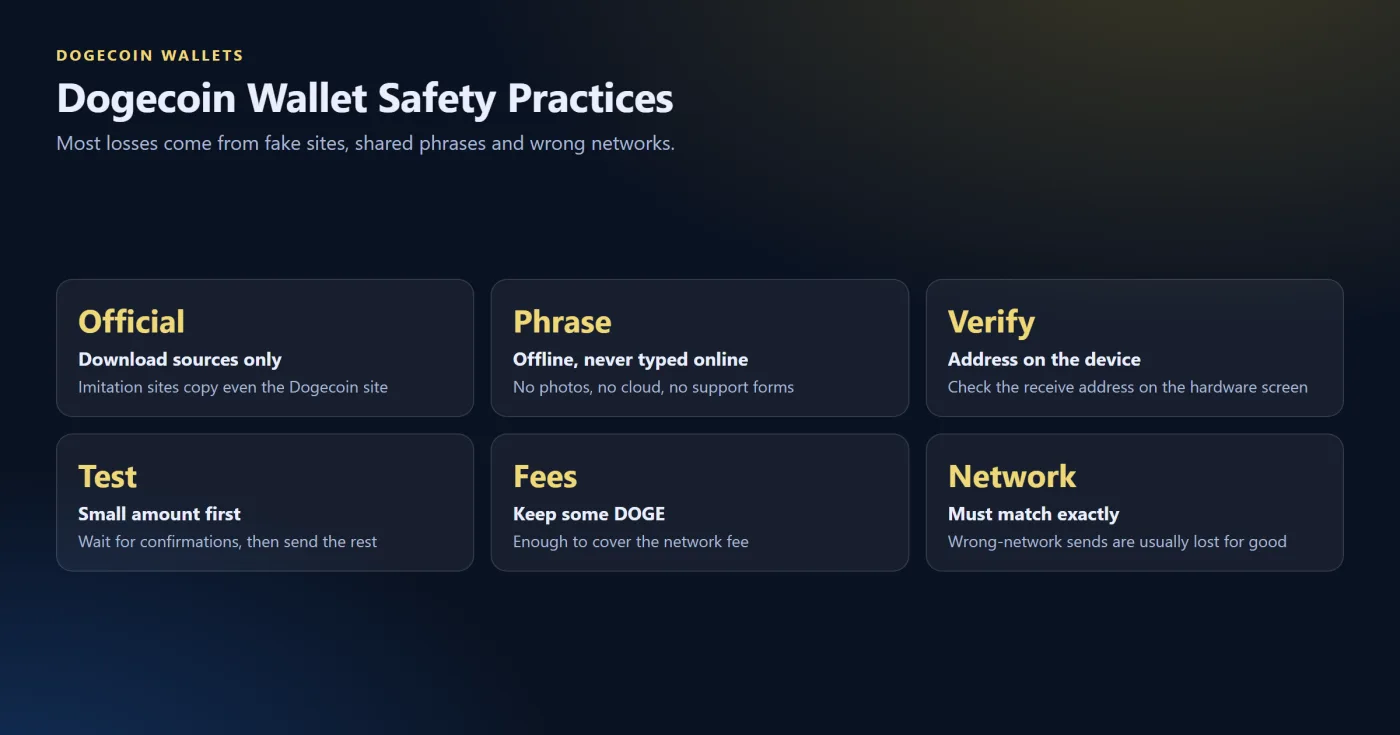
Download wallets only from official websites or app stores and beware of imposter websites. Search results for wallet topics include imitation sites, including those that impersonate the official Dogecoin site.
-
Write down the recovery phrase and keep it offline – not in pictures or online storage. According to the guide of Trust Wallet, sharing of the recovery phrase might result in losing access to the wallet and its assets.
-
Don't type the recovery phrase anywhere online, in chats or support forms. Legitimate wallets and exchanges never ask for it.
-
Verify the receive address on the hardware wallet screen, as Trezor advises.
-
Send a small test sum before making a larger one, wait for confirmations and then make another transfer, as CoinJar suggests.
-
Keep the wallet funded with enough DOGE to cover the network fee, as Trust Wallet's guide advises.
Sending to the Right Network
According to CoinJar's guide, funds sent on an incompatible network usually do not bounce back and are often permanently lost, and "unsolicited 'recovery agents' who ask you for your seed phrases or upfront payments are scammers." Dogecoin might appear as a token in some other networks, but this point is not covered in detail by sources read, so the network of the receiving wallet must match exactly.
What to Check Live
-
Support of Dogecoin in the current version and user's device model.
-
The wallet being open-source, and the date of the last update.
-
Self-custodial or custodial nature of the wallet.
-
The network fee before the send is confirmed.
-
The download source to be the official and to have checked the checksums if available.
This article is educational, and is not investment advice. Wallet interfaces were not tested for this article, and each reader should verify live information.
Related guides


 Scroll to top