


Solana Wallet Guide: Create, Fund, and Secure One


Table of contents

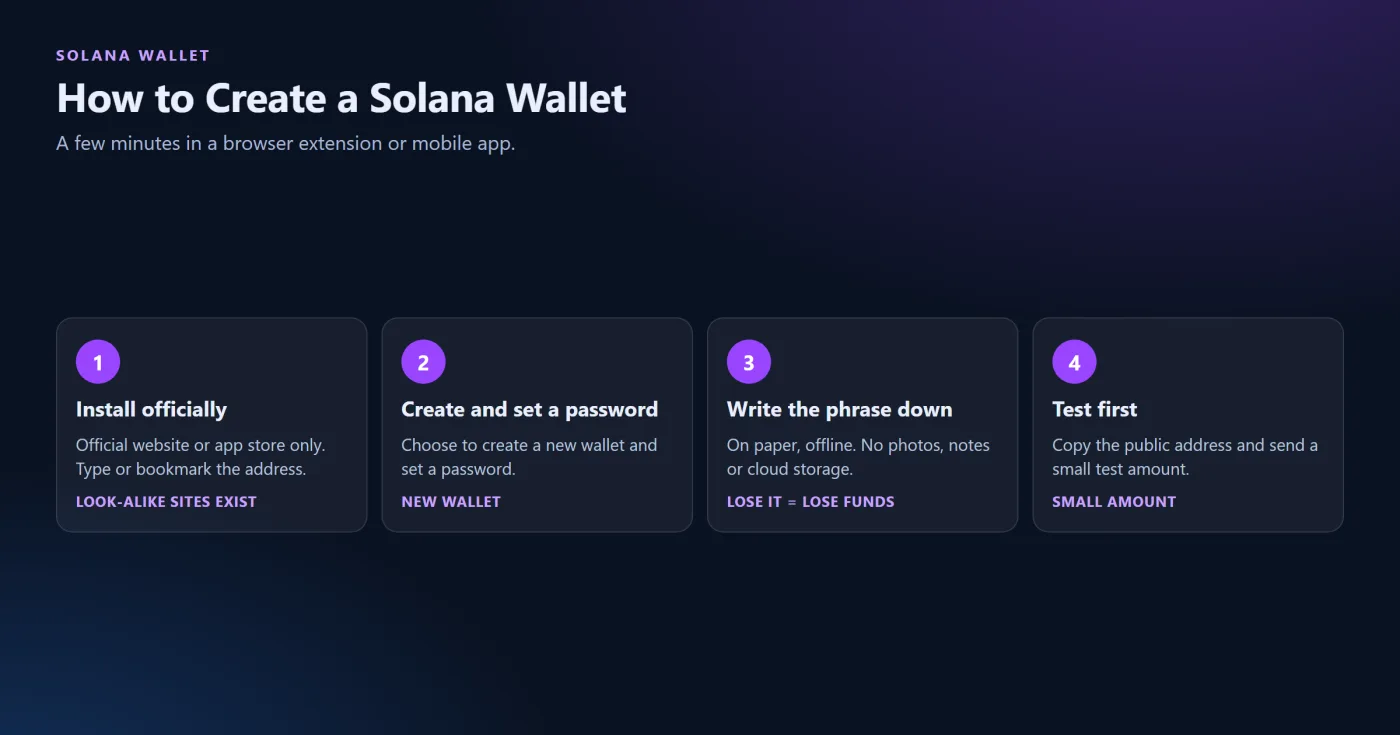
A Solana wallet is an app or device that holds the keys controlling an address on the Solana network, and the safest setup is one where only the owner has the recovery phrase. Creating one takes a few minutes in a browser extension or mobile app: install the wallet from its official source, set a password, and write the recovery phrase down offline. According to Figment's guide to the Phantom wallet, published on April 29, 2024, it is a 12-word phrase, and if it is lost, neither the user nor Phantom can recover the wallet or its funds.
This guide covers how to create and check a Solana wallet, how to receive SOL from an exchange such as Coinbase, what a zero balance means, how the main Solana wallets differ, and which safety rules matter most. It does not name a best Solana wallet. Wallet features change often, so the live product pages should be checked.
What a Solana Wallet Is
A wallet does not store coins. The funds remain on the blockchain, and the wallet stores the keys that sign transactions. Anybody who knows the recovery phrase can control the funds, which is why it must never be shared. A mobile or browser wallet is convenient, while a hardware wallet keeps the keys on a separate device. The listing of the Backpack wallet on Solana Compass mentions Ledger and Trezor integration, and the Phantom guide does not describe hardware wallets, so support for any specific device should be checked with the wallet maker.
How to Create a Solana Wallet
-
Install the wallet only from its official website or an official app store listing. Search results can include look-alike pages, so the address should be typed or bookmarked.
-
Choose to create a new wallet and set a password.
-
Write the recovery phrase on a piece of paper and keep it offline. Never take a photo of it or save it in notes or cloud storage.
-
Copy the public address and send a small test amount first.
The address is public. Block explorers such as Solscan show a wallet's balance, token holdings, transaction history, and active staking accounts for any address, according to MoonPay's Solscan guide, and they never need a recovery phrase or a password. The same guide warns against entering keys or a recovery phrase anywhere.
Sending SOL From Coinbase or Another Exchange
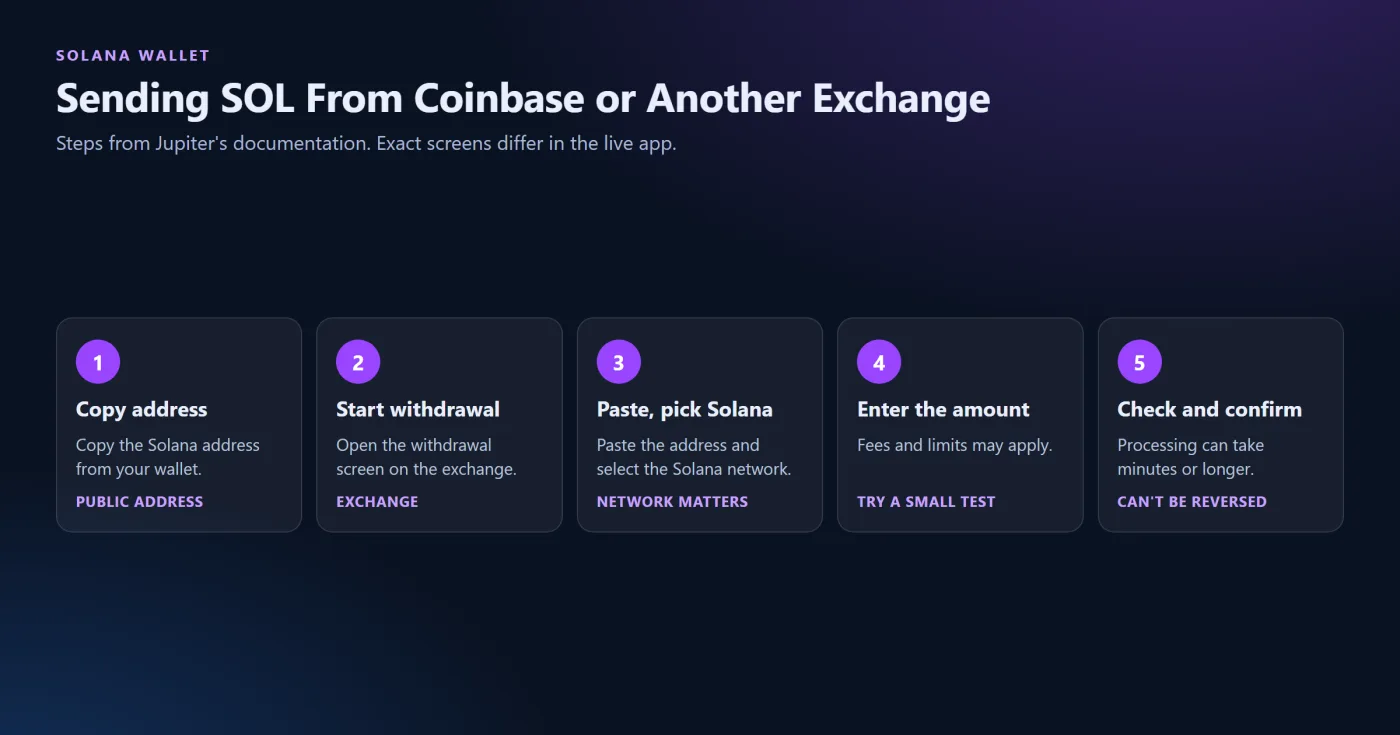
Jupiter's documentation lists the steps for moving funds from an exchange: copy the Solana address from the wallet, start a withdrawal on the exchange, paste the address, select the Solana network, enter the amount, check everything again, and confirm. It warns that transfers to a wrong address generally cannot be reversed, that fees and limits may apply, and that processing can take minutes or longer. The page does not mention test transfers or memo fields, so the test-amount advice above is a general caution and not a Jupiter instruction.
Coinbase's own steps for the Solana network were not available for this article. A Solana Pay merchant page shows the exchange's receive flow with a network selector set to Solana, and Coinbase says the network step may vary by asset, according to Jupiter's page. The exact screens should be checked in the live app.
Zero Balance and Rent
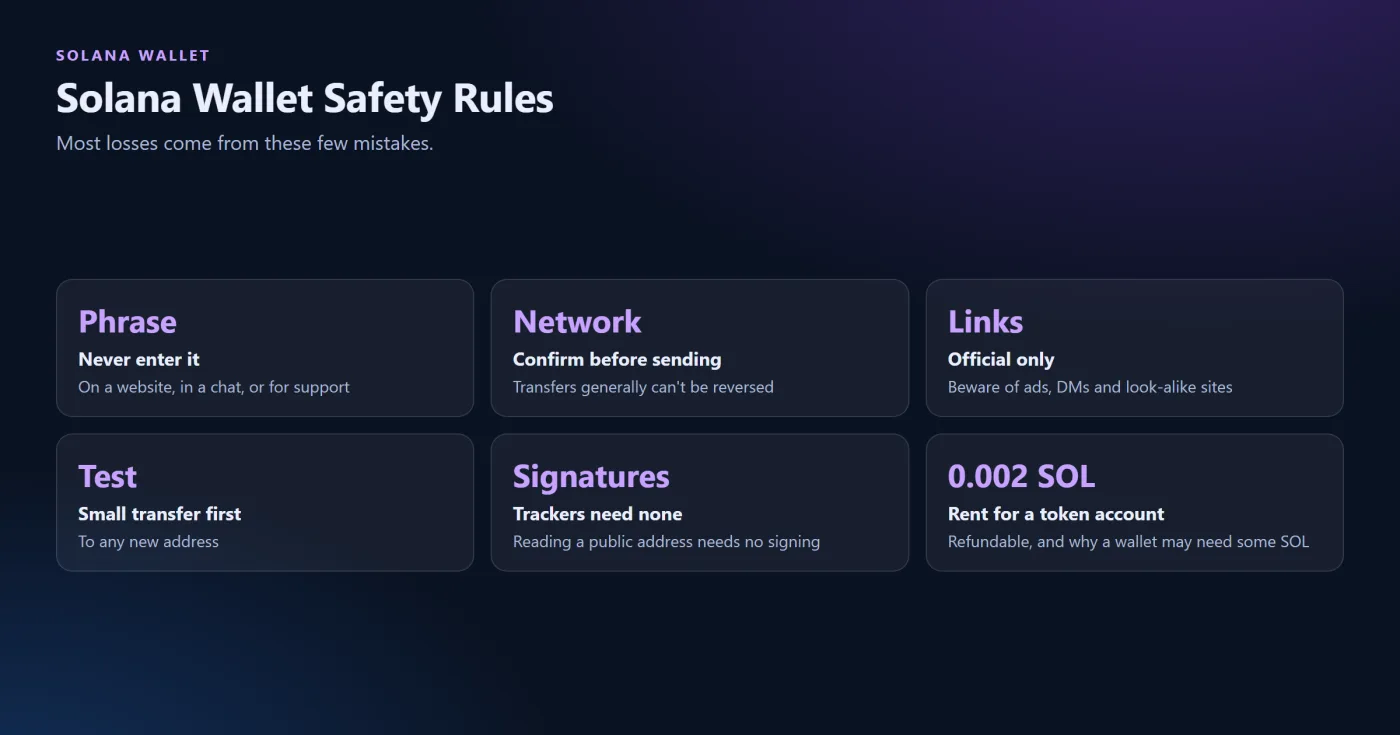
A wallet that shows a zero balance may simply be empty or may lack the small amount of SOL needed for activity. Solflare's help article describes rent as a small deposit an account must hold to keep its data on the network, about 0.002 SOL for a new token account, and says rent is refundable when the account is closed, unlike a transaction fee. The article does not address zero-balance wallets directly, so a wallet that cannot send tokens should be checked for a small SOL balance, and the wallet's support page consulted.
Main Wallet Options
-
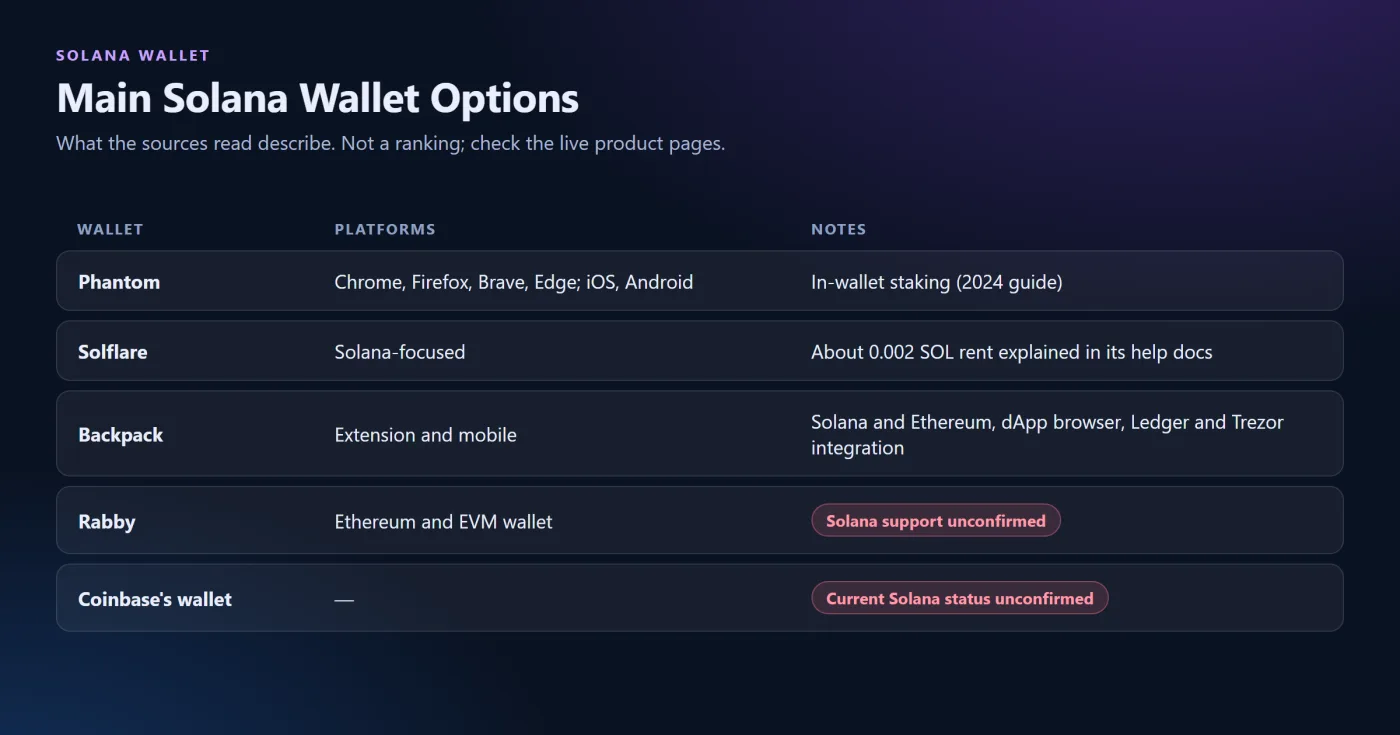
Phantom. A browser extension for Chrome, Firefox, Brave, and Edge, plus iOS and Android apps, according to the 2024 Figment guide. It includes in-wallet staking: the guide describes choosing "Start earning SOL," picking a validator, and entering an amount. The guide is promotional for Figment, and interface steps may have changed since 2024.
-
Solflare. A Solana-focused wallet. Its rent article was read, but a full feature list from an official source was not, so its features are not described here.
-
Backpack. A self-custody wallet with a browser extension and mobile app, a dApp browser, NFT support, and executable NFTs (xNFTs), supporting Solana and Ethereum, per its Solana Compass listing. The listing has no dates and is not an endorsement.
-
Rabby. Described as a multi-chain wallet for Ethereum and EVM-compatible networks on a comparison page, which also contradicts itself in a table. Solana support is unconfirmed, and Rabby's own documentation should be checked before sending SOL to it.
-
Coinbase's wallet product. A 2022 headline reports that Coinbase Wallet would support the Solana ecosystem. Its current Solana status was not confirmed.
Developers who add wallet connections to Solana apps use the Wallet Adapter project, which its repository describes as modular TypeScript adapters and components, with Wallet Standard wallets detected automatically. This matters to ordinary users only in that a dApp connect button shows the wallets it supports.
Staking From a Wallet
Phantom's guide describes a 2-day unbonding period and rewards paid every epoch of about 2 days. These are dated figures from April 2024, and other sources give different cooldown ranges, so the wallet's own screen should be read before staking.
Safety Rules
-
Never enter a recovery phrase on a website, in a chat, or for support. No legitimate wallet or exchange asks for it.
-
Confirm the network and address before every send. Transfers generally cannot be reversed.
-
Use official links only, and be wary of ads, direct messages, and look-alike sites.
-
Keep a habit of sending a small test transfer to any new address.
-
Treat wallet "trackers" and "analyzers" that ask to connect a wallet or sign something with caution. Reading a public address needs no signature.
What to Check Live
-
Whether the wallet app is the official one for the platform in use.
-
Which networks the wallet supports, since support for Solana differs between products.
-
The fees and minimum SOL balance the wallet shows.
-
The exchange's current withdrawal rules and network name.
-
Wallet interfaces were not tested for this article, so the screens may differ.
This article is educational and is not investment advice. Crypto involves risk of loss, and each reader should verify live information.
Related guides


 Scroll to top